
Escalation Shield
Escalation Shield watches your connected support and social feedback for interactions that are turning urgent, emotionally charged, or tied to a high-value account. When it detects escalation risk, it can start an Enterpret Agent automation that investigates the interaction, gathers evidence and account context, and takes the action you configured.
Detection stays the same. The difference is what happens next: Escalation Shield can now start the work instead of stopping at an alert.
What is Escalation Shield?
Escalation Shield helps CX, Support, Account, and Product teams respond before a customer escalates to an executive, posts publicly, or becomes a churn risk. It monitors the feedback you choose and looks for escalation intent, emotional intensity, and changes in the customer relationship.
The feedback filter decides what Enterpret monitors. Your instructions decide what happens when an escalation is found.
How it works
Detect: Escalation Shield identifies an interaction that shows escalation risk.
Investigate: Enterpret Agent opens a session, reads the interaction, and gathers relevant account and conversation context.
Act: The agent completes the action you configured, such as creating a ticket, posting evidence, paging on-call, or sending a webhook.
Inspect: You can open the agent session to see what it read and what it did.
What Escalation Shield can do
When an escalation is detected, Enterpret Agent can:
Post the escalation and supporting evidence to Slack or send it by email.
Create a Zendesk or Intercom ticket with the evidence attached.
Create a Linear or Jira issue with the customer's words and relevant context.
Page the on-call team in PagerDuty.
Send the work to another system with a webhook.
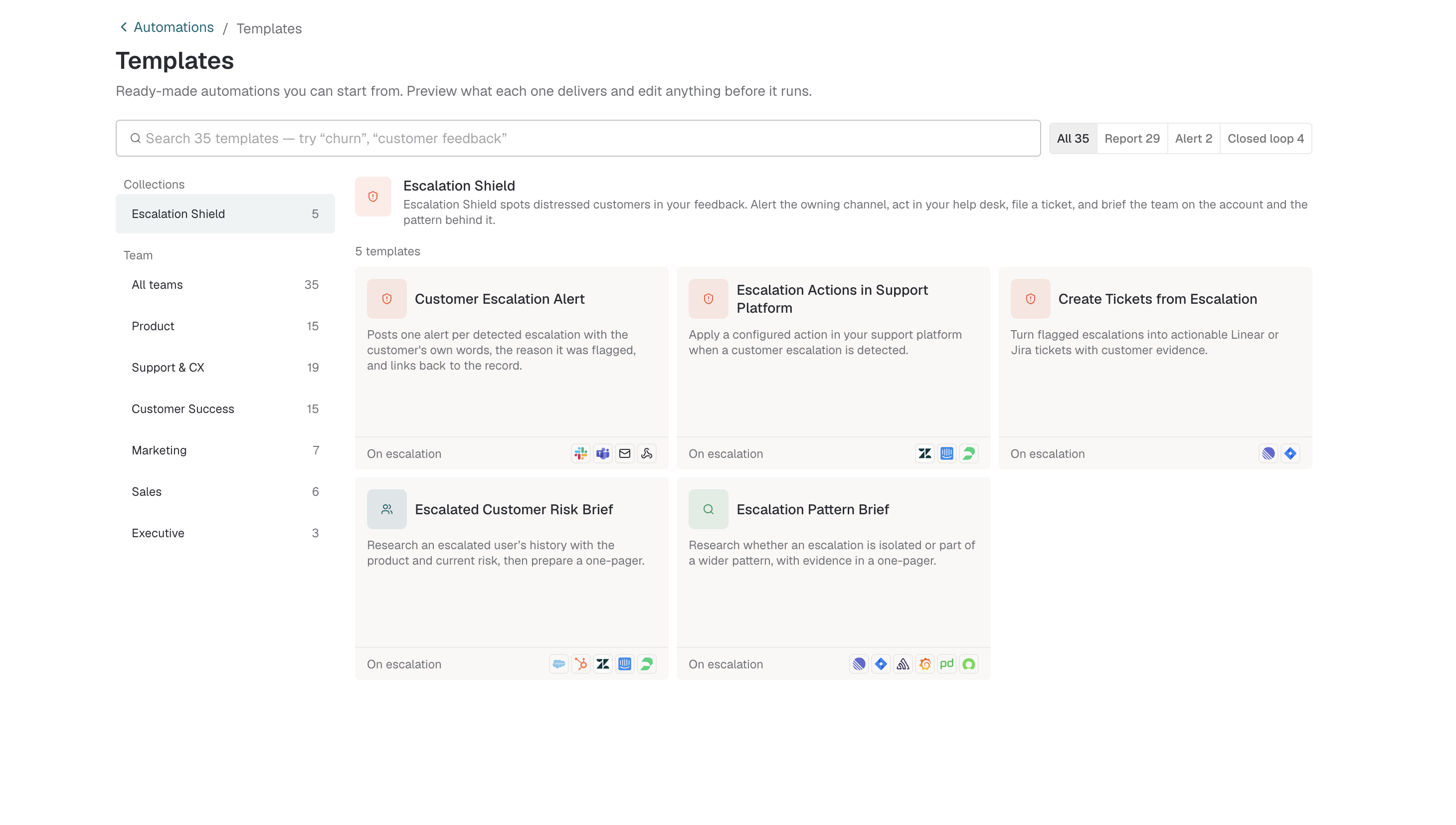
Choose an Escalation Shield template for alerts, support-platform actions, ticket creation, or investigation briefs.
The available actions depend on the integrations and permissions configured for your workspace. For webhook setup details, see Outbound webhooks for Escalation Shield.
How to set up Escalation Shield
Go to Automations in Enterpret. You can describe the automation you want in plain language, start from a template, or build it step by step.
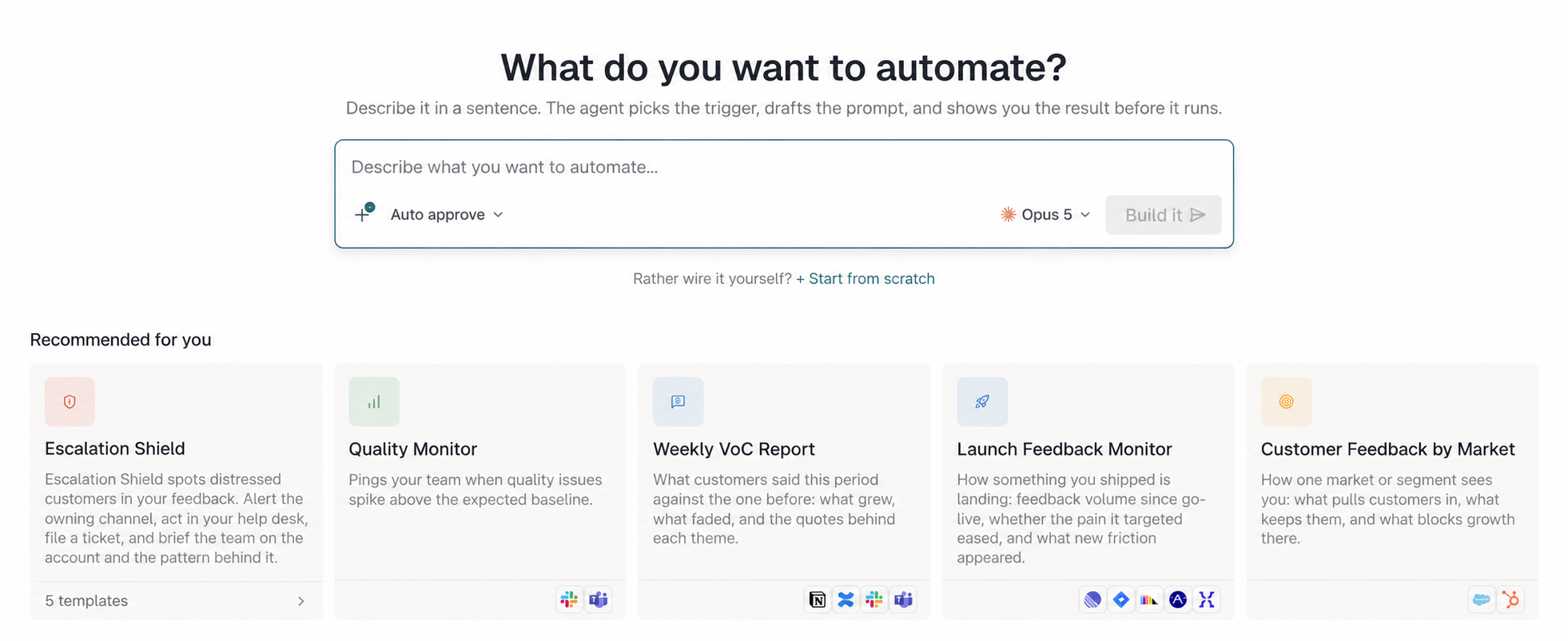
Create an automation in plain language, start from an Escalation Shield template, or build from scratch.
Step 1: Choose when it runs
Choose Escalation Shield under runs when. This condition starts the automation whenever Enterpret detects an escalation in feedback that matches your filter.
Step 2: Configure the feedback filter (optional)
Specify which feedback the automation should watch. You can filter by:
Customer tier or segment, such as Enterprise accounts.
Product area, such as Billing or Authentication.
Channel, such as support tickets, sales calls, or social media.
Tags or metadata, such as priority accounts or an account-value threshold.
Leave the filter empty to monitor all connected feedback for escalation risk.
Step 3: Tell Enterpret Agent what to do
Your instructions control the investigation and action. Choose the destination, describe the evidence to include, and add any conditions the agent should follow.
For example:
Investigate the interaction and create a Zendesk ticket with the customer's words and account context.
Create a Linear issue for the relevant product team with the evidence attached.
Post the findings to Slack and page PagerDuty when the risk is critical.
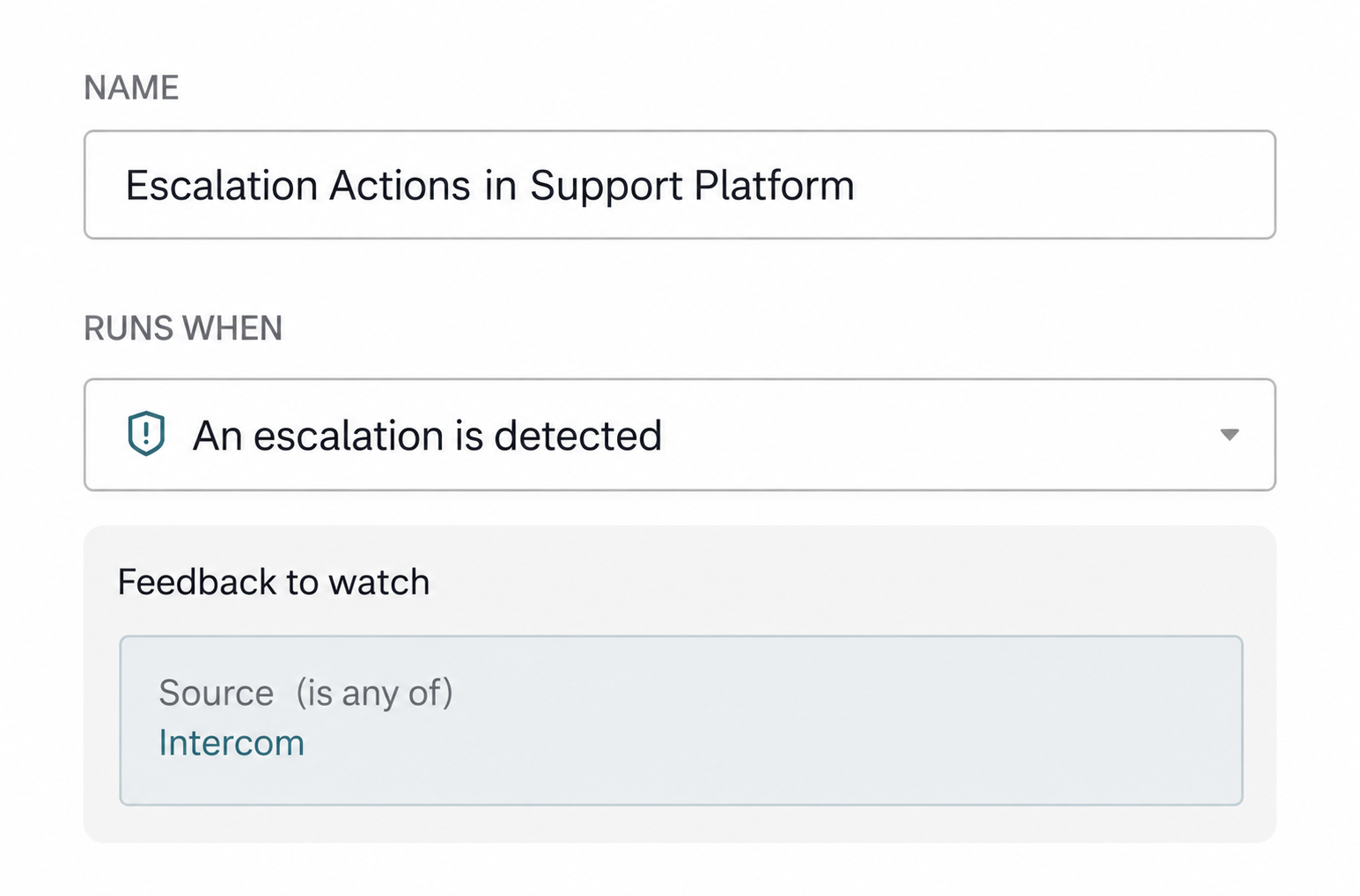
Review the escalation condition, feedback filter, connected app, and Agent instructions before creating the automation.
Step 4: Review and activate
Review the instructions and connected integrations, give the automation a descriptive name, and click Create. Escalation Shield will keep watching the selected feedback and start a new run for each matching escalation.
What you see in each run
Every Agent-powered run is inspectable. Depending on your instructions and available data, the session can include:
The customer's exact words that show escalation intent or emotional intensity.
The signals that caused Enterpret to identify the escalation.
Account context such as customer tier, lifecycle stage, product area, and prior escalation history.
Conversation metadata, response history, and a link to the source interaction.
The action the agent took and links to the ticket, issue, message, page, or webhook result.
Existing Escalation Shield configurations
Existing Escalation Shield configurations continue to work. Their filters and current Slack, email, or webhook destinations stay in place.
The Agent-powered action is rolling out in batches, so it may not appear in every workspace at the same time. After an existing configuration moves to Enterpret Agent, Slack message formatting may differ slightly from the legacy alert.
How detection works across feedback sources
Escalation Shield adjusts its detection based on the source. A frustrated public post carries different risk from a private support ticket, and the automation accounts for that automatically.
For public sources such as X, Reddit, the App Store, and the Play Store, it looks for signals such as:
Mentions of contacting executives or leadership.
Threats of media coverage or public exposure.
References to regulatory bodies or legal action.
Posts gaining traction or engagement from other users.
You do not need to configure source-specific scoring.
Best practices
Start narrow: Begin with your highest-priority accounts, then expand the filter as your team builds confidence.
Give the work an owner: Send each action to a team that can respond.
Attach the evidence: Include the customer's words and account context in tickets and issues.
Reserve paging for critical risk: Add clear conditions before sending an escalation to PagerDuty.
Inspect and refine: Review Agent sessions to improve the instructions and remove actions that do not get used.
FAQs
Does the upgrade change how Escalation Shield detects risk?
No. Detection stays the same. The upgrade changes what can happen after an escalation is found.
What happens if I do not set a feedback filter?
The automation monitors all connected feedback for escalation risk.
What happens after a run finishes?
The automation stays active. It starts another run when it detects a new matching escalation.
Can I see what Enterpret Agent did?
Yes. Open the session for the run to inspect the evidence it gathered and the actions it took.
Is Escalation Shield the same as Quality Monitor?
No. Both run in the background, but Quality Monitor watches for quality spikes while Escalation Shield watches for escalation risk in individual customer interactions.
Need help setting up your automation? Contact support@enterpret.com.